User Guide
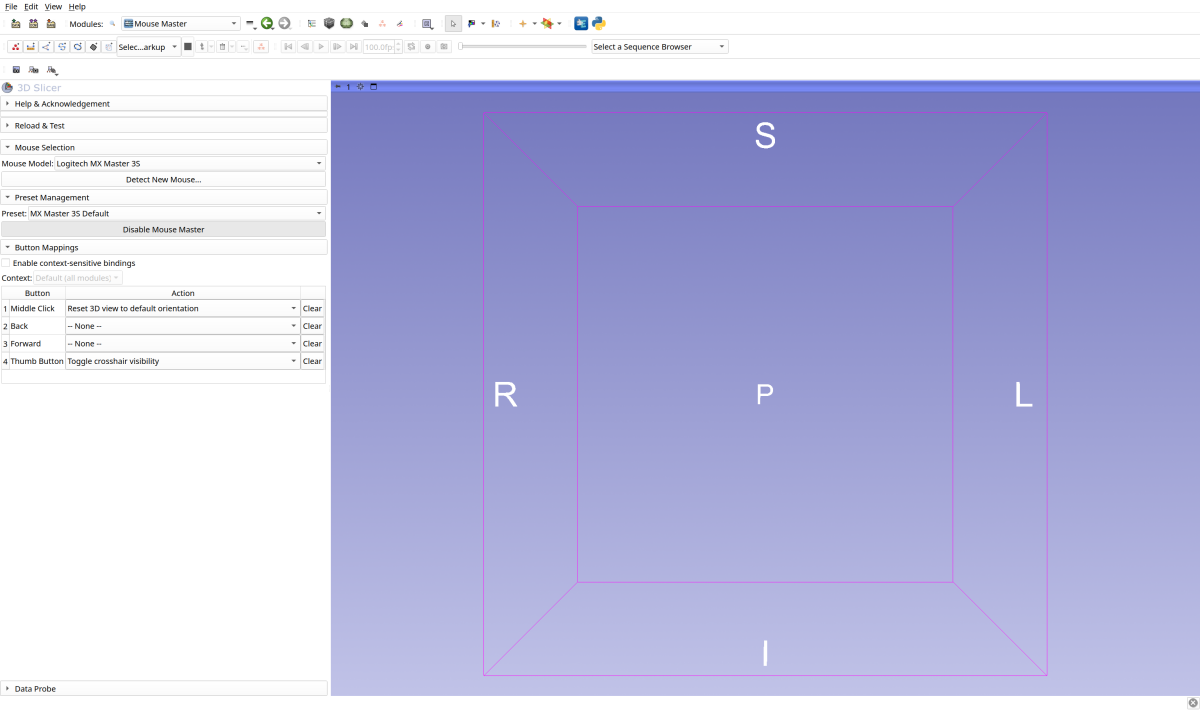
Welcome to the SlicerMouseMaster User Guide. This section covers everything you need to know to configure and use MouseMaster for your workflow.
Getting Started
New to MouseMaster? Start here:
Installation - Install the extension
Quick Start - Get up and running in 5 minutes
Tutorial: Segmentation Workflow - Hands-on tutorial with screenshots
Button Mapping - Configure your mouse buttons
Advanced Topics
Once you’re comfortable with the basics:
Presets - Save and share configurations
Context-Sensitive Bindings - Module-specific bindings
Troubleshooting - Common issues and solutions
Supported Mice
MouseMaster works with any mouse, but provides optimized profiles for:
Logitech MX Master 3S - 6 buttons, fully supported
Logitech MX Master 4 - 6 buttons, fully supported
Generic 3-Button - Basic support for standard mice
Generic 5-Button - Support for mice with back/forward buttons
See Mouse Profiles for detailed button mappings and features for each supported mouse.
Don’t see your mouse? Use the button detection wizard to create a custom profile.